Who Is That Guy in Apple’s Safari Ad?
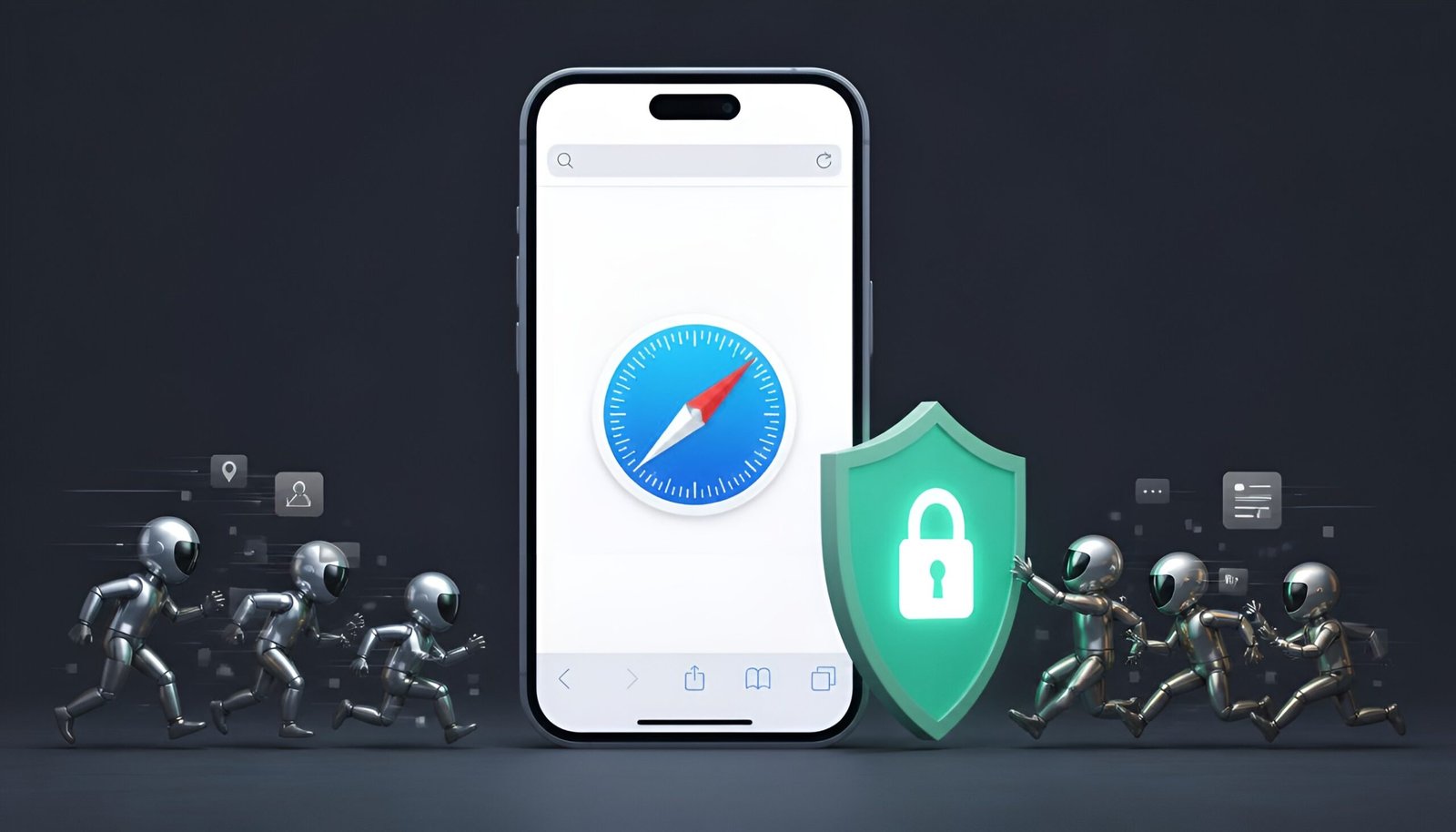
Looking for Safari ad and tracker blockers after seeing Apple’s commercial? If you searched for this after seeing the commercial: the shiny, chrome-plated figure clinging to people’s shoulders in Apple’s new ad is a stand-in for an “online data tracker” – a piece of code that follows your browsing across different websites and apps to build a profile of you. In the ad, one shows up hanging off someone at an art gallery, another rides along on a gym treadmill, another tags along at lunch, at a campsite, at the hairdresser. Every non-Apple phone in the ad has one or more clinging on.
The reveal comes at the very end – a Cosmic Orange iPhone appears, someone taps the Safari icon, and the chrome figures explode. The point Apple is making: switch to Safari and those trackers can’t follow you the same way. It’s an ad for Safari specifically, not for iPhone hardware, even though it plays as a phone commercial.
Is What the Ad Says True?
Mostly, yes. Safari has Intelligent Tracking Prevention (ITP) built in, and it genuinely blocks a real amount of cross-site tracking by default – no setup, no app to install. Apple also points to Safari hiding your IP address from known trackers and presenting a simplified device profile to reduce fingerprinting, both accurate descriptions of features that already exist. The ad’s dig at Chrome – that its Incognito mode doesn’t stop tracking the way people assume – lines up with how Incognito actually works: it stops your device from saving history locally, but it doesn’t stop sites and trackers from seeing you.
Here’s the part the ad doesn’t spell out, though: ITP blocks trackers, not ads. You’ll still see banner ads, video ads, and YouTube pre-rolls in plain Safari – the tracking behind those ads is what gets blocked, not the ad slot itself. If you actually want the ads gone too, not just the tracking, you need to add a content blocker on top of what Safari already does by default. That’s what the rest of this guide covers.
Quick Answer: Best Safari Ad and Tracker Blockers
AdGuard blocks the most overall (ads, trackers, and YouTube) but its parent company hasn’t published a zero-data-collection policy, worth knowing if privacy is your main reason for doing this. 1Blocker is the most customizable option built specifically for Apple devices with iCloud sync. Wipr 2 is the simplest – install once, forget about it, one-time payment, no subscription.
Compared Side by Side
Here’s how the top Safari ad and tracker blockers stack up against each other.
| App | Price | Blocks YouTube ads | Customizable | Privacy policy |
|---|---|---|---|---|
| AdGuard | Free tier + annual ~$2.49/mo, or $9.99 one-time (Pro) | Yes | Extensive | No zero-data-collection policy published |
| 1Blocker | Free (limited) or $39.99 lifetime | Partial (paid tier) | High, iCloud sync | Apple ecosystem only, some data practices flagged by reviewers |
| Wipr 2 | $4.99 one-time | No | None – automatic only | Minimal, Safari-only, no background tracking |
| Ghostery | Free | Yes | Moderate | Privacy-first, long track record |
| Ka-Block! | Free, open-source | No | Low | Open-source, minimal by design |
1. AdGuard – Blocks the Most Overall
AdGuard consistently scores highest in independent blocking tests, including on notoriously hard targets like YouTube ads. It supports custom filter lists and DNS-level protection for more advanced setups. Get AdGuard on the App Store →
Worth knowing: Several independent reviewers note AdGuard hasn’t published a formal zero-data-collection policy the way some competitors have. If the whole reason you’re doing this is privacy rather than just cleaner pages, weigh that against how much blocking power you actually need.
2. 1Blocker – Best for Apple-Only Households
1Blocker was built specifically around Apple’s Content Blocker API and syncs your rules across iPhone, iPad, and Mac through iCloud. The free version only lets you enable one filter category at a time (ads, privacy, annoyances, or adult content) – full functionality needs the paid tier, either a subscription or a $39.99 lifetime purchase. Get 1Blocker on the App Store →
3. Wipr 2 – Set It and Forget It
Wipr 2 is deliberately minimal – no settings to tweak, no subscription, just a one-time $4.99 payment. It updates its filter lists automatically twice a week and runs natively inside Safari’s content-blocking engine, so it doesn’t run background processes or drain battery. The trade-off is it blocks less overall and can’t touch YouTube ads. Get Wipr 2 on the App Store →
4. Ghostery – Best Free Privacy-First Option
Ghostery has been in the tracker-blocking space for close to 15 years and leans privacy-first over aggressive ad removal. It auto-dismisses a lot of cookie consent pop-ups as a side effect of blocking the trackers behind them, and its free tier is genuinely usable rather than a stripped-down trial. Get Ghostery on the App Store →
5. Ka-Block! – Free and Open-Source
Ka-Block is about as bare-bones as it gets – free, open-source, and lightweight, with no account or subscription involved anywhere. It won’t touch YouTube ads and updates less frequently than the paid options, but for basic ad and tracker blocking with nothing to configure, it does the job. Get Ka-Block! on the App Store →
Download Links
AdGuard 1Blocker Wipr 2 Ghostery Ka-Block! (Free)
How to Actually Turn One On
- Download your chosen app from the App Store and open it once to complete its setup.
- Go to Settings → Safari → Extensions.
- Tap the app’s content blocker and toggle it On.
- If the app has its own filter/category settings, open the app itself to pick what to block (ads, trackers, cookie banners, etc.).
Content blockers only affect Safari itself, not other apps’ built-in browsers or the standalone YouTube app – that’s true of every option on this list, not a limitation specific to one.
Frequently Asked Questions
What is Apple’s new Safari ad actually called?
Apple hasn’t marketed it under a single catchy title the way some past campaigns were – it’s simply part of Apple’s ongoing “Privacy. That’s iPhone.” messaging, this time focused specifically on Safari versus Chrome. You’ll mostly see it referred to descriptively as Apple’s Safari tracker ad or Safari privacy commercial.
Does Safari already block trackers without installing anything?
Yes, to a real extent. Intelligent Tracking Prevention limits cross-site cookies and reduces fingerprinting by default with no setup. What it doesn’t do is remove the ads themselves – a content blocker is what handles that part.
Will a content blocker slow down my iPhone?
Lightweight options like Wipr and Ka-Block run inside Safari’s native content-blocking engine and have minimal impact. Heavier tools like AdGuard, especially with background processes enabled, can use more resources – noticeable mainly on older devices.
Can I use more than one content blocker at once?
Safari lets you enable multiple content blockers simultaneously, but running several full-featured ones together rarely improves blocking and can slow page loads or cause conflicts. Picking one that covers what you need is usually the better approach.
Do these also work on Mac and iPad?
AdGuard, 1Blocker, Ghostery, and Wipr all offer versions for macOS and iPadOS, and several sync settings across devices through iCloud or an account login. Ka-Block is Safari/Mac-focused specifically.
Final Thoughts
The right Safari ad and tracker blockers close the gap Apple’s ad doesn’t mention. Apple’s ad isn’t wrong that Safari blocks a real amount of tracking by default – it just leaves out that “tracker” and “ad” aren’t the same target. If cleaner pages and less tracking both matter to you, picking one content blocker from this list and turning it on in Settings takes about two minutes and covers the gap Safari leaves open on its own. If you’re doing this same kind of tracker cleanup on Windows too, our guide to Android tracker blockers covers the mobile side beyond just Safari.
Tested on: iOS 18 · Safari 18 – Updated August 2026