YouTube Premium Now Costs $15.99 a Month – Here’s How to Actually Cancel It
If you want to cancel YouTube Premium, know that it now costs $15.99 a month, or $26.99 for the Family plan, in the US as of 2026. The cancellation itself takes a few minutes, but where you go to cancel depends entirely on how you originally signed up, and getting that part wrong is the most common way people end up still being charged.
Cancel YouTube Premium on Desktop or Web Browser
Go to YouTube’s paid memberships page (you can reach it from your account menu under Purchases and memberships), select your Premium plan, click Manage membership, and then Deactivate. Google’s official cancellation help page walks through this with screenshots if you want to follow along step by step.
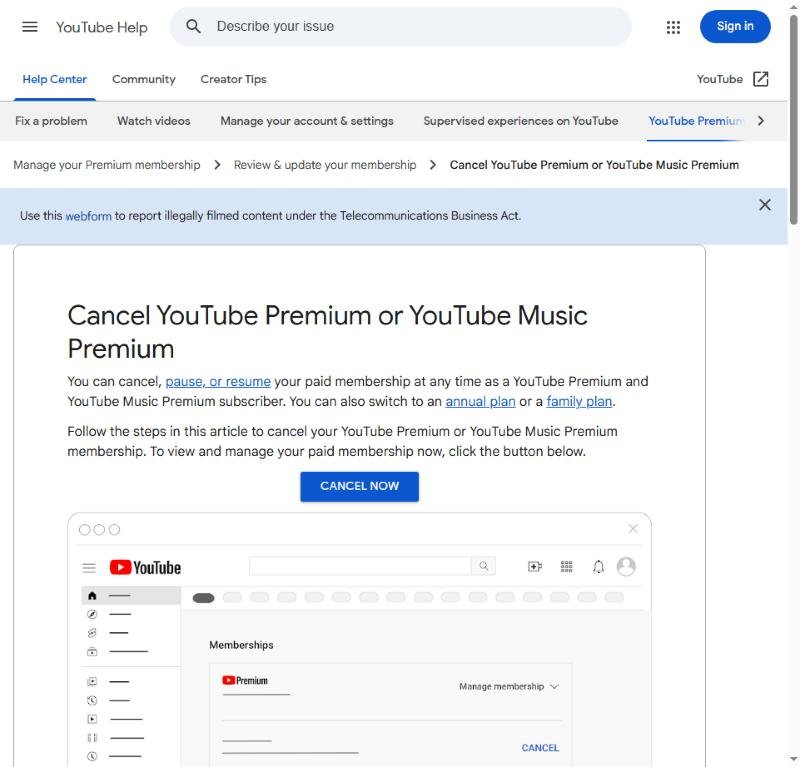
YouTube’s official Premium cancellation help page
Cancel on Android
Open the YouTube app, tap your profile picture in the top right, go to Purchases and memberships, tap your active Premium membership, and select Deactivate. This works the same way whether you originally subscribed through the app or the website, since Android purchases route through the same Google account system either way.
Cancel on iPhone or iPad
This is where most people get stuck. If you subscribed to YouTube Premium through the iOS app, Apple handles the billing, not Google – which means you have to cancel through your Apple ID, not through YouTube’s own settings at all. Go to Settings > [Your Name] > Subscriptions, find YouTube Premium in the list, and tap Cancel Subscription. Trying to cancel from inside the YouTube app itself won’t work if you’re billed through Apple – it’ll just point you back to this same Settings path.
The Rule That Trips Everyone Up
You have to cancel through the same platform where you originally subscribed. If you signed up on the YouTube website but are now trying to cancel through the Apple Subscriptions menu, you won’t find it there, and vice versa. If you’re not sure which one applies to you, check your bank or card statement for whether the charge shows up from Google or from Apple – that tells you which system is actually billing you. Getting this backwards is the single most common reason people think they canceled YouTube Premium but keep getting charged anyway.
What Happens After You Cancel
Canceling doesn’t cut off access immediately – Premium continues until the end of the billing period you already paid for, so there’s no benefit to canceling the exact moment you decide to stop. Once it ends, YouTube reverts to the free, ad-supported experience automatically; there’s no separate step to “downgrade” your account.
If you’re auditing subscriptions to cut recurring costs, it’s worth checking the rest of your list too – canceling Amazon Prime has a similar platform-dependent gotcha if you originally signed up through the iOS app.
Curious what that remaining billing period would be worth if it were refunded? Check the subscription refund calculator.
Prices current as of August 2026 – subject to change
Tags: cancel youtube premium subscription iphone android, youtube premium price 2026 monthly family plan, cancel youtube premium apple id vs google