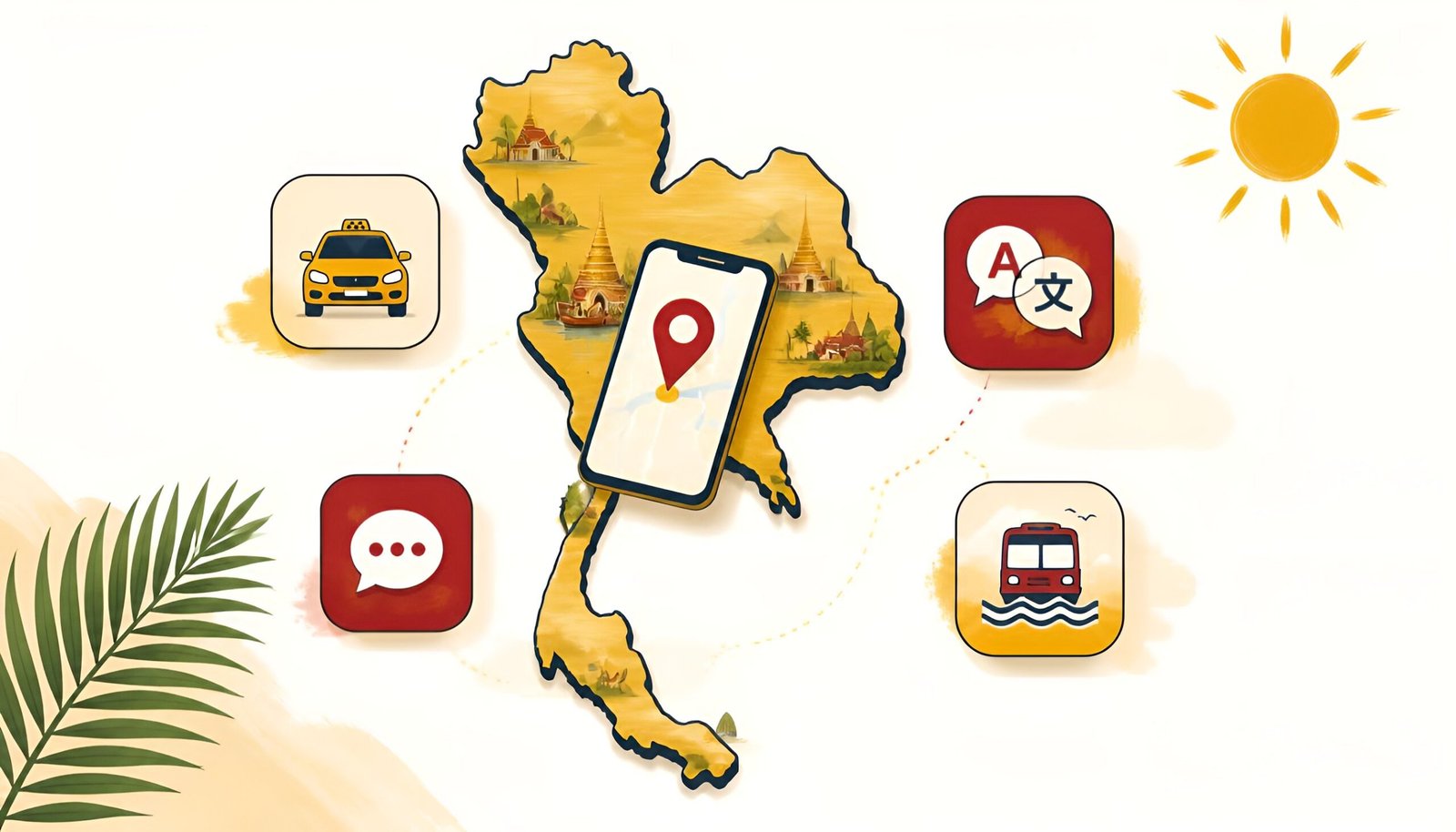
Before you go, download these Thailand travel apps – they’ll save you from the taxi driver who quotes three times the going rate, the restaurant menu entirely in Thai, and not knowing how to book a bus from Bangkok to Chiang Mai.
Thailand is one of the most rewarding travel destinations in the world, but it helps to know which apps locals and experienced travelers actually use. With the right five apps on your phone, you sidestep the most common tourist frustrations before they even happen.
All five are free. All work without a Thai phone number. All available for both Android and iPhone.
✅ Download these before you board. Set up Grab and 12Go Asia at home on Wi-Fi, both require account registration that’s easier done before you land. Google Translate’s offline pack is also best downloaded on a fast connection.
The 5 essential Thailand travel apps:
- Grab – taxis, food delivery, and more
- Google Maps – navigation that actually works
- Google Translate – menus, signs, and Thai script
- LINE – how Thailand communicates
- 12Go Asia – buses, trains, and ferries between cities
If you’re also planning a stop in Korea, check out our guide on using Kakao T as a foreigner.
App 1: Grab – The One App That Solves Half Your Problems
If you only download one app before going to Thailand, make it Grab.
Grab is Southeast Asia’s dominant super-app, think Uber, but more powerful. In Thailand it handles taxis, motorbike taxis, private cars, food delivery, and even grocery runs. It’s the single most useful app for daily life in Bangkok, Chiang Mai, Phuket, and every other major city in the country.
Here’s why it matters more than just convenience: many Thai taxi drivers don’t use meters, especially near tourist areas. Haggling over fares is exhausting and you almost always overpay. Grab shows you a fixed price before you confirm the ride. What you see is what you pay, no negotiation, no surprises.
Download Grab – Android Download Grab – iPhone
How to set up Grab as a foreigner
- Download Grab and open it
- Register with your email and foreign phone number (country code + number)
- Add your foreign credit card, Visa and Mastercard both work
- Allow location access
- Set your pickup point and type your destination in English
- Choose your ride type and confirm the fixed fare
- Your driver’s name, photo, and license plate appear, match the plate when they arrive
What Grab covers in Thailand
| Service | What it is | Best for |
|---|---|---|
| GrabCar | Private car, air-conditioned | Comfort, airport transfers, groups |
| GrabBike | Motorbike taxi | Fast, cheap solo travel in traffic |
| GrabTaxi | Official metered taxi via app | Budget-friendly, metered fare |
| GrabFood | Food delivery | Ordering to your hotel or apartment |
💡 GrabBike tip: For solo travel in Bangkok traffic, a GrabBike (motorbike taxi) is often twice as fast as a car and costs a fraction of the price. Helmets are provided. If the thought of weaving through Bangkok traffic on a motorbike doesn’t appeal, stick with GrabCar.
App 2: Google Maps – Navigation That Works in Thailand
Google Maps works reliably in Thailand for walking directions, driving, and transit. It covers Bangkok’s BTS Skytrain and MRT subway with accurate times and fare estimates, plus bus routes in major cities.
Restaurant and attraction information is also solid, hours, reviews, photos, and contact details are generally accurate and well-maintained.
Download Google Maps – Android Download Google Maps – iPhone
Essential setup for Thailand
- Download offline maps before you go, search “Bangkok” or “Chiang Mai” → tap Download. Essential for beach areas and rural regions where data is spotty
- Save your accommodation, pin your hotel or Airbnb so you can always find your way back
- Use “Transit” mode in Bangkok, shows BTS/MRT routes with exact fares and transfer points
✅ Pro tip: In tourist areas, Grab is often easier than public transit. Use Google Maps to understand the area and plan routes, then use Grab when the transit option looks complicated or time-consuming.
App 3: Google Translate – Read Thai Script Without Learning Thai
Thai script is completely unlike any Western alphabet, most tourists can’t read a single character. Google Translate’s camera feature solves this instantly: point your phone at any Thai text and get an English translation overlaid on the image in real time.
This is especially useful for restaurant menus (many small local places have Thai-only menus), street food stall signs, pharmacy labels, and transport tickets.
Download Google Translate – Android Download Google Translate – iPhone
How to download Thai offline pack
- Open Google Translate
- Tap the three dots (⋮) → Settings → Offline translation
- Find Thai and tap Download
- Translation now works without internet
Note: Thai translations aren’t always perfect, the language has complex grammar and tonal nuances. For simple menu items and signs, it’s excellent. For complex instructions, treat it as a rough guide and ask locals if something seems unclear.
App 4: LINE – How Thailand Actually Communicates
In most Western countries, people use WhatsApp or iMessage. In Thailand, almost everyone uses LINE. Restaurants take reservations on LINE. Tour operators send confirmations on LINE. Hotels use it for guest communication. Locals share their LINE ID the way Westerners share a phone number.
You don’t need LINE to survive as a tourist, but you’ll run into situations where a restaurant or driver asks for your LINE ID, and having it ready makes communication dramatically easier.
Download LINE – Android Download LINE – iPhone
How to set up LINE as a foreigner
- Download LINE and open it
- Tap Sign up
- Enter your foreign phone number (with country code)
- Enter the verification code from SMS
- Set your display name and profile photo
- Done, your LINE ID is your username, which others can search to add you
✅ Tip: LINE works for free voice and video calls anywhere in the world, it’s also a solid WhatsApp alternative for staying in touch with family back home during your trip.
App 5: 12Go Asia – Book Buses, Trains, and Ferries in English
Getting between cities in Thailand, Bangkok to Chiang Mai, Bangkok to Phuket, Phuket to Koh Samui, involves buses, trains, ferries, and sometimes combinations of all three. 12Go Asia puts all of this in one place, in English, with transparent pricing and online booking.
Without this app (or the website), booking intercity transport in Thailand typically means showing up at a station or pier and hoping there’s availability. 12Go lets you compare options, read reviews, and pay with a foreign card in advance.
Download 12Go Asia – Android Download 12Go Asia – iPhone
How to book with 12Go Asia
- Open 12Go Asia and select your departure and destination cities
- Choose your travel date
- Browse available options, bus, train, ferry, or flight, with prices and travel times
- Read reviews for each operator before booking
- Pay with your foreign credit card
- Your ticket arrives by email and is accessible in the app
Popular routes covered:
- Bangkok → Chiang Mai (overnight train or bus, 9-12 hours)
- Bangkok → Phuket (flight, bus, or overnight bus, 12+ hours by road)
- Phuket → Koh Samui (ferry combinations)
- Bangkok → Koh Tao, Koh Phangan, Koh Samui (combined bus + ferry)
- Cross-border routes to Laos, Cambodia, and Malaysia
Thailand Travel Apps Comparison – All 5 at a Glance
| App | What it does | Foreign number OK? | Works offline? |
|---|---|---|---|
| Grab | Taxis, bikes, food delivery | ✅ Yes | ❌ Needs data |
| Google Maps | Navigation, transit, places | ✅ Yes | ✅ With download |
| Google Translate | Thai script, menus, signs | ✅ Yes | ✅ With download |
| LINE | Local communication | ✅ Yes | ❌ Needs data |
| 12Go Asia | Intercity transport booking | ✅ Yes | ⚠️ Tickets saved in app |
Bonus Apps Worth Having
Foodpanda – Thailand’s other major food delivery app alongside GrabFood. Particularly strong in smaller cities where Grab’s food delivery selection is limited. English menus, foreign card payment, fast delivery.
Agoda – Built specifically for Asia, Agoda consistently offers better hotel deals in Thailand than global booking platforms. Worth comparing prices here alongside Booking.com before reserving accommodation.
Klook – For booking activities, tours, and attraction tickets in advance. Elephant sanctuaries, cooking classes, island tours, Muay Thai events, often cheaper than buying at the venue, with instant confirmation.
Frequently Asked Questions
Is Uber available in Thailand?
No. Uber exited Thailand in 2018 after merging its Southeast Asia operations with Grab. Grab is the dominant ride-hailing service across the country and is used by both locals and tourists.
Do I need cash in Thailand?
Yes, more than in Japan or Korea. While major hotels, malls, and tourist restaurants accept cards, street food stalls, local markets, temple entrance fees, and small guesthouses are often cash-only. Always keep Thai baht on hand. Foreign card ATM withdrawals typically cost 250-350 baht per transaction depending on the card network (Visa vs. Mastercard) and bank, so withdraw larger amounts less frequently to minimize fees. Some banks, like AEON, charge as little as 150 baht.
Does Grab work everywhere in Thailand?
Grab works reliably in Bangkok, Chiang Mai, Phuket, Pattaya, Hua Hin, and most major cities. In very remote areas or small islands, Grab coverage is limited or unavailable, local taxis or motorbike taxis are the alternative.
Do I need a Thai SIM card for these apps to work?
No, but having data is important. All five apps require internet for core functions. An international eSIM (available from providers like Airalo) or a local Thai SIM card (available at the airport for around ฿300-฿500 for 30 days of data) keeps everything running smoothly throughout your trip.
Is LINE the same as WhatsApp?
Similar concept, different ecosystem. LINE is free messaging, voice calls, and video calls, the same core functions as WhatsApp. The difference is that LINE is dominant in Thailand (and Japan), so many Thai businesses and locals use it as their primary contact method. Having both is ideal.
Final Thoughts
Thailand is genuinely one of the easiest countries to travel in once you have the right tools. Grab removes the taxi stress. Google Maps handles navigation. Google Translate decodes the menu. LINE connects you with locals and businesses. 12Go Asia handles everything between cities.
Download all five before you board, set them up on Wi-Fi at home, and you’ll spend your trip experiencing Thailand, not troubleshooting logistics.