Another List of the Same 10 Tools Won’t Help You Pick
Free AI tools for students all blur together after a while – search this and you’ll find the same names shuffled into a different order every time – ChatGPT, NotebookLM, Perplexity, Grammarly, Quizlet. They’re the right tools. The problem is a flat list doesn’t tell you which one to open first when you sit down with an assignment due Thursday.
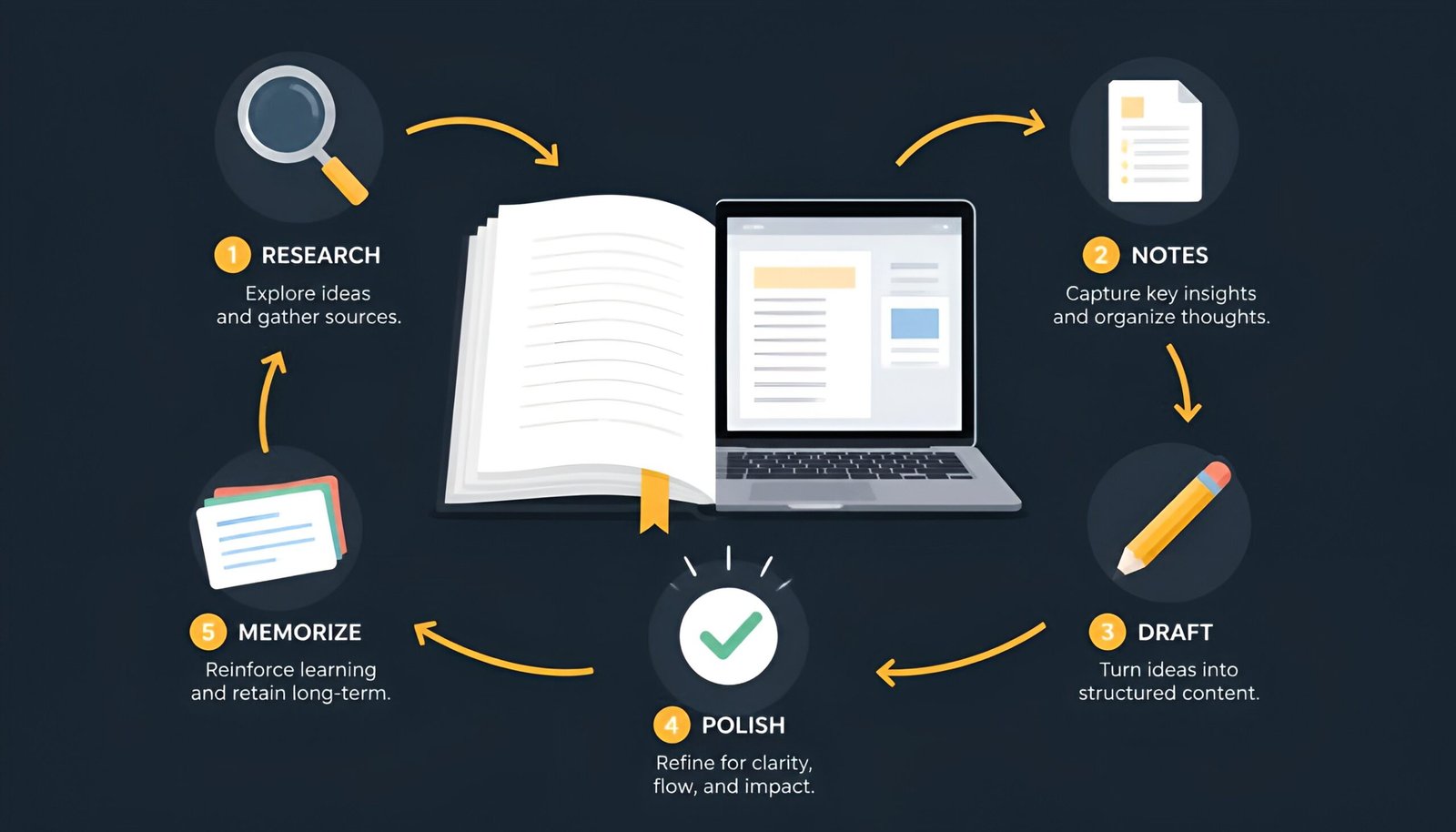
So instead of ranking them, they’re mapped to the actual stages of doing schoolwork: research, organizing your own materials, drafting, polishing, and memorizing. Pick the stage you’re stuck at.
Quick Answer
Researching a topic – Perplexity (cited sources you can verify). Studying your own lecture notes or textbook PDF – NotebookLM (only answers from what you upload, doesn’t guess). Drafting an essay or explanation – ChatGPT or Claude. Math and science computation – Wolfram Alpha. Polishing final writing – Grammarly. Memorizing for exams – Anki.
Free AI Tools for Students, Mapped to Your Study Workflow
| Stage | Tool | Free tier reality |
|---|---|---|
| 1. Research a topic | Perplexity | Unlimited standard searches, ~3-5 “Pro Search” queries a day |
| 2. Study your own materials | NotebookLM | Free with a Google account, no meaningful daily cap for most students |
| 3. Draft writing or explanations | ChatGPT / Claude | Usage caps that refresh every few hours |
| 4. Math and science problems | Wolfram Alpha | Basic computation free; step-by-step solutions are paid |
| 5. Polish final writing | Grammarly | Grammar/spelling free; tone rewrites are paid |
| 6. Memorize for exams | Anki | Free on desktop, Android, and web; iOS app is a $24.99 one-time purchase |
1. Research: Perplexity
Perplexity answers questions with inline citations to the actual sources it pulled from, so you can click through and verify a claim instead of taking a chatbot’s word for it. For anything going into a bibliography, that’s a meaningfully different starting point than a generic chatbot that occasionally invents a source that sounds real but doesn’t exist.
2. Studying Your Own Notes: NotebookLM
NotebookLM only answers from documents you actually upload – lecture slides, a textbook PDF, your own handwritten notes scanned in – rather than pulling from the open internet. That matters at exam time specifically: a general-purpose chatbot will confidently answer using its training data even when it contradicts what your professor actually taught. NotebookLM sticks to your professor’s version because it’s the only version it has access to.
3. Drafting: ChatGPT or Claude
Both work well as a thinking partner for outlining an essay, explaining a concept back to you in simpler terms, or getting unstuck on a first paragraph. ChatGPT tends to be the faster default for quick brainstorming and explanations. Claude’s free tier handles longer documents more consistently – useful if you’re pasting in a full draft and asking for structural feedback rather than a sentence-level rewrite.
Try ChatGPT Free → | Try Claude Free →
4. Math and Science: Wolfram Alpha
Wolfram Alpha computes rather than chats – symbolic math, unit conversions, graphing, and structured scientific queries where you need an actually correct number, not a plausible-sounding explanation. If you’ve been using a general chatbot as your only tool for a quantitative course, this is the gap worth closing first.
5. Polishing: Grammarly
Free-tier Grammarly catches spelling, grammar, and basic clarity issues in real time as you write, which is enough to stop obvious mistakes from going out in a final submission. Tone adjustment and deeper style rewriting sit behind the paid tier, but for a last pass before submitting, the free version covers what most assignments actually need.
6. Memorizing: Anki
Anki is fully free and open-source on desktop, Android (via the community-built AnkiDroid app), and the web through AnkiWeb – no paywall anywhere on those platforms, using a spaced-repetition algorithm that most “AI-powered” flashcard apps are quietly built to imitate. The one exception is iOS: AnkiMobile is a $24.99 one-time purchase, which funds the rest of the free ecosystem. If you’re on iPhone, AnkiWeb in the browser is a free workaround for the same deck data. It’s less flashy than newer AI note-takers, but for material you genuinely need to still know in a year (language vocabulary, anatomy, anything cumulative), it remains the most-cited option for a reason.
The Gemini Student Deal – Check Before You Assume It’s Still Open
Google has run a free-year student promotion for its higher-tier Gemini/Google AI plan (including expanded NotebookLM limits and cloud storage) through SheerID verification, but the terms have shifted more than once in 2026 and enrollment windows have closed and reopened. As of this update, the most recent version of the US offer required signup by April 30, 2026 – so if you’re reading this after that date, don’t assume it’s automatically available. Check Google’s official student offer page directly for your region’s current status before counting on it.
Where This Turns Into Academic Risk
This is the part most lists skip. There’s a real line between using AI to think through material and using it to produce work you submit as entirely your own, and it’s worth being deliberate about which side of that line a given task falls on.
Reasonably safe: Brainstorming angles for a paper, getting a concept explained differently, checking your own logic, generating practice questions from your own notes, catching grammar mistakes.
Risky territory: Submitting AI-generated text as your own final writing, letting a chatbot answer a problem set instead of working through it yourself, trusting an uncited AI answer as a source in a research paper. AI detection tools are unreliable and produce false positives regularly, but a sudden shift in your writing style or sophistication is often obvious to an instructor who’s read your earlier work.
When in doubt, check your specific course or institution’s AI policy – they vary significantly, and “everyone uses it” isn’t a defense if your syllabus says otherwise. Free AI tools for students are only worth using within whatever line your school actually draws.
Frequently Asked Questions
Which single tool should a student start with if they can only pick one?
NotebookLM covers the widest range of core study tasks – summarizing, quizzing yourself, and finding gaps in your understanding – grounded in your actual course material rather than the open internet, which matters more than raw model power for most coursework.
Is Perplexity more reliable than ChatGPT for research?
For anything requiring a citable source, yes – Perplexity shows exactly which page or paper each claim came from, so you can verify it. ChatGPT is better suited to brainstorming and explanation than to sourced research, since it can produce a plausible-sounding but nonexistent citation if you ask it for one directly.
Do any of these tools actually replace studying?
No, and treating them that way tends to backfire specifically at exam time, when there’s no AI tool available and the understanding has to already be in your head. They’re most useful for compressing the mechanical parts of studying (formatting flashcards, catching typos, summarizing a dense reading) so more time goes toward actually understanding the material.
Is it considered cheating to use AI for schoolwork?
It depends entirely on your specific school and course policy, which vary a lot. Using AI to brainstorm, check your own logic, or generate practice questions is generally treated differently than submitting AI-written text as your own final work – but the exact line is set by your syllabus, not by what other students are doing.
What if my free usage limit runs out mid-assignment?
Most of these tools reset usage caps every few hours rather than requiring a full day’s wait, so switching tasks or taking a short break often restores access. Rotating between two or three free tools for different tasks, rather than relying on one for everything, also avoids hitting any single tool’s limit as often.
Final Thoughts
The students getting real value from free AI tools generally aren’t using one app for everything – they’re matching each one to the specific job it’s actually good at and treating AI output as a draft to check, not a final answer to submit. Start with whichever stage of your workflow is costing you the most time this week, and add the rest only once that one has earned a permanent spot. If you’re managing this alongside a part-time job or freelance work, our free AI tools for business guide covers the same idea for non-school tasks.
Verified: August 2026